Free and paid AI meeting notes differ most on one thing a firm cannot easily see: where the recording goes. We tested the free route end to end on our test machine with the network blocked. The test used a 7 minute meeting we made up for an accountancy firm. We also read the published privacy pages and prices of six paid note-takers. This guide covers what the free route got right and wrong, what the paid tools say about your data, and what to check before you put client calls through any of them.
AI note taker privacy: which free and paid AI meeting notes keep recordings private?
The free route we tested kept everything on our test machine. The transcription ran inside a sandbox that denies every network connection, and it finished without one. No paid page we read makes a claim that strong. The six paid tools we checked are cloud services, and what their own pages say about your data varies a lot.
Free is enough if recordings of clients must not leave your building, your meetings are in one language with clear audio, and someone will check the names and who owns each action. Pay, or at least trial a paid tool, if nobody on your team will run a script, or if you need speaker labels without extra setup.
| Free: faster-whisper and Gemma 4 on our test machine | Paid: six tools, published pages | |
|---|---|---|
| Where the audio goes | Stayed on our machine. Transcription ran with the network blocked | Cloud services. Only one page says where processing happens (the EU) |
| Trains on your data | No vendor involved. Both models ran locally | Three of six say they train on de-identified data by default. Three say they do not |
| Price | No fee | About $8 to $15 per user a month on entry paid plans and $14 to $25 on business plans |
| What we tested | A 7 minute meeting, transcribed once and summarised three times | Not tested. Pages read on 20 October 2026 |
| Speed | 7 minutes of audio in 44 seconds | Not tested |
| Names and owners | Two names wrong. One action given to the wrong person | Not tested |
Is there a free offline AI note taker? We ran one with the network blocked
Yes, if you are willing to run two free tools yourself. faster-whisper turned the recording into text and Gemma 4 turned the text into notes, both on our test machine. Neither is a ready-made app: we ran them from short scripts.
To test them, we wrote a weekly meeting for a made-up accountancy firm, Brindle and Moss. Two people speak for about 1,300 words, and the script holds 29 facts we could check afterwards: names, money, dates, a fee rise, a venue. Two Kokoro voices read it aloud on our test machine, a UK woman as Priya and a UK man as Tomasz. The recording is 429.6 seconds long.
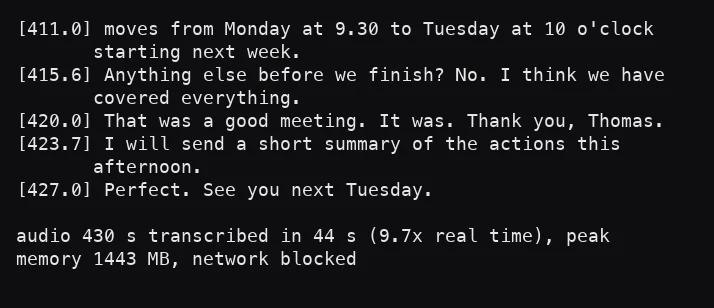
We transcribed it with faster-whisper, the small model. It ran on the processor with 8-bit weights inside a macOS sandbox that blocks every network connection. It finished in 44 seconds, which is 9.7 times faster than real time, and peaked at 1,443 MB of memory.
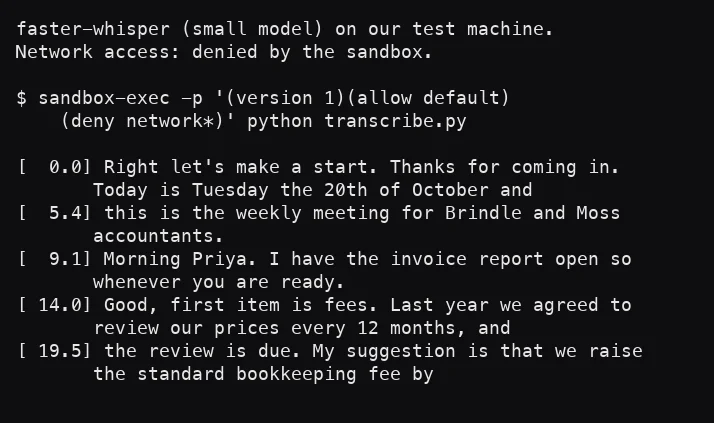
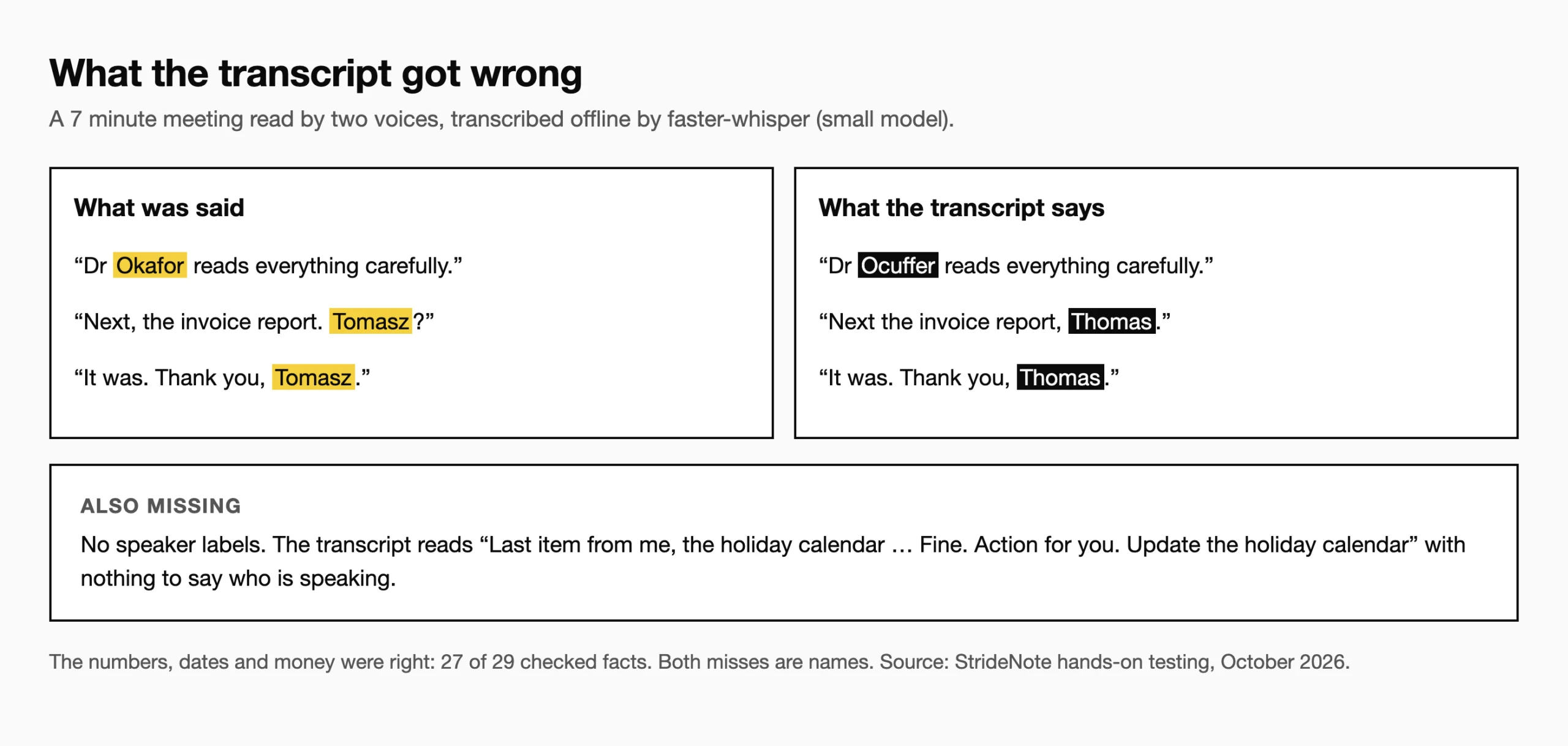
The word error rate was 2.0% on words alone, with numbers set aside, and 27 of the 29 key facts were right. Every sum of money, date and time came through. “Three hundred and sixty pounds and forty pence” came back as 360 pounds and 40 pence.
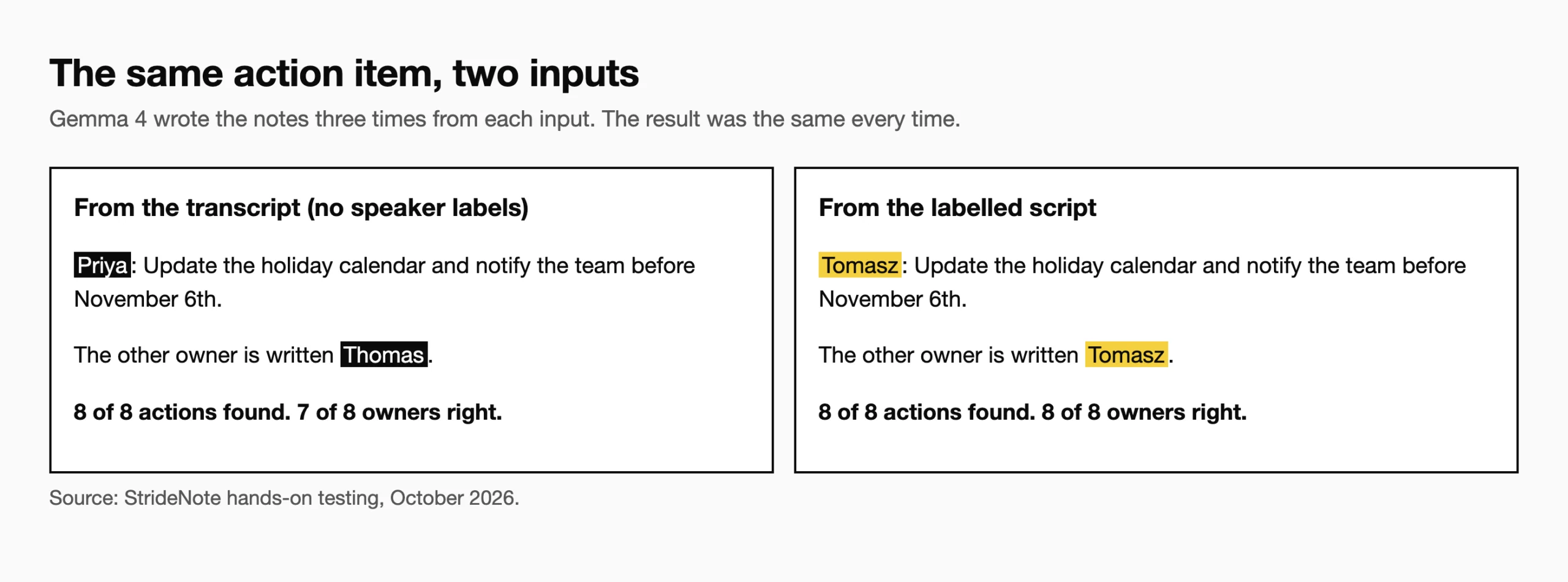
Then Gemma 4 31B in LM Studio wrote meeting notes: a two sentence summary, the decisions, and action items with an owner and a deadline. We ran it three times on our transcript and three times on the true script, which has the speaker’s name on every line, to separate what the transcription broke from what the summary broke. Each run took 24 to 45 seconds.
Can an AI note taker tell who is speaking? Where ours went wrong
Not the one we ran, and that caused the worst mistake in the notes. faster-whisper writes one block of text and does not say who is speaking. The notes found all 8 action items and all 3 decisions in all six runs. But from the unlabelled transcript, all three runs gave the holiday calendar to Priya. It was Tomasz’s job. The line “Last item from me, the holiday calendar” only makes sense if you know who said it. From the labelled script, every owner was right in every run.
Names were the other problem. The transcript wrote “Ocuffer” for Okafor, and “Thomas” for Tomasz every time. A speech model has no list of your colleagues, so an unusual name comes out as the nearest common one. In notes, that puts the wrong name on an action item.
A fix for the speaker problem exists. WhisperX adds speaker labels, and we set it up in our WhisperX guide, with a cleanup chain for noisy audio. We did not test it in this run, so we cannot say how it handles names. For a firm, the free route got the numbers right and the people wrong, and the people are what an action item is about.
How much does an AI note taker cost, and does it train on your meetings?
Paid AI note takers cost about $8 to $15 per user a month on annual billing for individual or team plans, and $14 to $25 per user a month on business plans. Those figures come from the published pages of six widely used tools, read on 20 October 2026: five show prices and one shows none. We did not test any of them. Free plans are limited: one caps transcription at 300 minutes a month and another at five transcripts a month.
As for training, three of the six say on their own pages that they train their models on customer data by default. The data is de-identified or anonymised. Two of those three describe an opt-out. The third page does not mention one. The other three say they do not train by default. Only one page says where processing happens, in the EU. The others name only where data is stored, such as US-hosted servers, or say nothing. No page gives a default retention period for your transcripts, though two say the audio itself is not kept. None says the tool can run fully on your own device.
“Not stated on the page” is not the same as “no”. Ask each vendor in writing. Our telemetry report shows how we check what an app sends, and our note on LM Studio and tracking covers the app we used for the notes.
What to check before using an AI note taker for client calls
- Decide whether recordings of client calls may leave your network at all. If not, the cloud tools are out before you compare prices.
- Check the names. Read every name in the notes, or give the tool a list of your colleagues and clients.
- Check who owns each action. Test with a meeting where two people speak, and see whether the notes get the owners right.
- Ask the vendor in writing: is audio processed or kept, for how long, and is any of it used to train models?
- Check for an opt-out, and who controls it: you, or each person on the call.
- Do the sum: seats times the monthly price, against an hour of someone’s time a week.
- Test with a meeting of your own. If you cannot share a real client call, make one up as we did.
*Disclaimer: We tested the free route only. Everything about the paid tools comes from the vendors’ own pages, read on 20 October 2026, and we did not test them.*