
The question people ask is “what is the best local model right now,” and the honest answer is that the question is shaped wrong. There is no single best model, the same way there is no single best vehicle. The right model is decided by two things the leaderboards leave out: how much RAM you have, and what you actually want the model to do. Get those two right and the choice almost makes itself.
So we are going to organize this the way the decision actually works. First by what you have, then by what you want. We will name real model families in general terms, and we will not quote leaderboard numbers, because the numbers move monthly and the principle does not.
How do you choose a local LLM?
A local model lives in memory. If it does not fit, it does not run. If it barely fits, it swaps to disk, crawls, and pushes your editor and browser out of memory while it works. So the first filter is not quality, it is fit.
The Atlas note on Ollama puts the practical floor at 16GB of RAM recommended and 8GB as a minimum for small models. That is your starting map. A bigger model is generally more capable, but a model that overruns your memory is not more capable to you, it is just slow. The single most common mistake we see is people reaching for the largest model they can name and then wondering why the machine stutters. Leave headroom. The model has to share the machine with everything else you have open.
So before anything else: know your RAM, and pick from the tier that fits with room to spare.
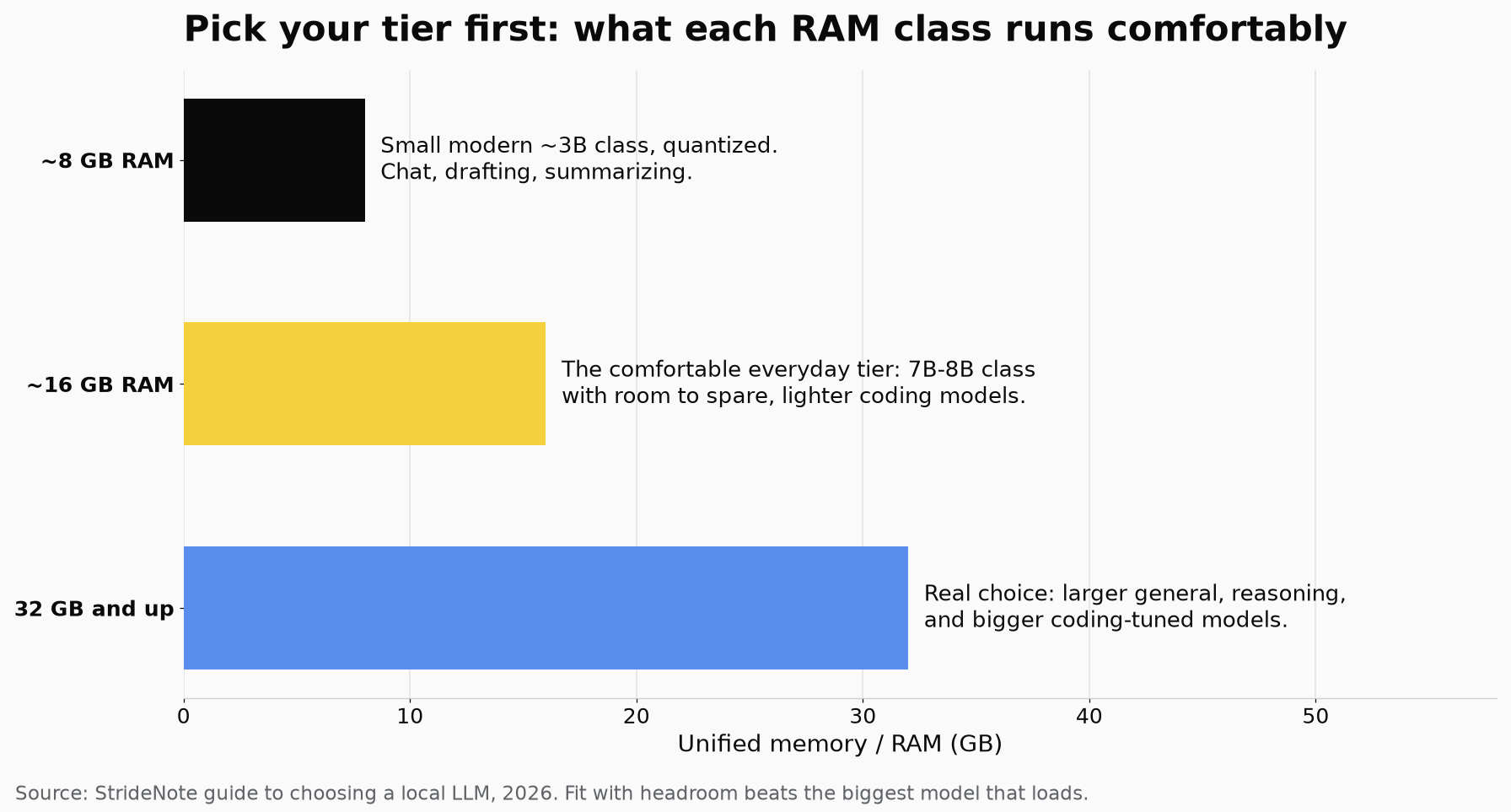
Pick the tier that fits your RAM with headroom first, then choose the model for the job inside it.
Which local LLM fits your RAM?
Around 8GB. You are in small-model territory, and that is fine for real work. Run a small, modern general model in the 3B-ish class, quantized. It will handle chat, drafting, summarizing, and simple questions over text comfortably. Do not try to load a large model here; it will not end well. The smallest tier is not a consolation prize, it is the correct choice for this machine.
Around 16GB. This is the comfortable everyday tier, and the recommended floor for a reason. You can run capable mid-size general models, a 7B-to-8B class model with room to spare, and lighter coding-tuned models. Most people doing ordinary work should aim here. It is enough for a good chat model and a usable coding assistant without fighting your memory.
32GB and up. Now you have real choice. Larger general models, stronger reasoning models, and bigger coding-tuned models all become practical, and on Apple Silicon the unified memory is shared with the GPU, so more RAM directly buys you bigger models. If you are on a Mac with serious memory and you run long jobs, the MLX note in the Atlas points out it runs models 30 to 50 percent faster than equivalent PyTorch code on the same machine, which is worth claiming when you are letting a model grind.
Pick your tier first. Then, inside it, pick for the job.
Which local LLM for chat, coding, or reasoning?
Everyday chat, drafting, summarizing. Reach for a current general-purpose instruct model from a mainstream family. Llama and Mistral models are the dependable defaults here, well-supported and forgiving. Pick the largest one that fits your tier comfortably and stop optimizing. For this work, “good enough” is genuinely enough, and the difference between a solid mid-size model and the absolute best is something you will rarely feel.
Coding and agent work. Use a coding-tuned model rather than a general one. The Qwen coding-tuned line and other purpose-built code models are the families to look at, and a coding model that behaves well inside an agent loop matters more than one that merely writes a clean function in isolation. Match the size to your RAM, and remember that for an agent, staying in the tool-use loop reliably can matter more than peak code quality on any single step.
Reasoning and harder problems. This is where bigger models and reasoning-tuned models earn their memory. If you have the RAM, a larger or reasoning-focused model will think through multi-step problems more reliably. If you do not have the RAM, this is also the category where you are most likely to still want a cloud model for the genuinely hard cases, and that is an honest trade rather than a failure.
Why is the biggest model rarely the right one?
The instinct to run the largest model your machine will technically load is the wrong instinct. A model that fits with headroom, runs fast, and matches your task will serve you better every single day than a bigger model that makes the laptop stutter and that you only feel the benefit of on rare hard problems.
This is the whole philosophy in one line: right-size to your RAM, match to the job, and let “good enough” win. The biggest model is the right answer surprisingly rarely. The model that fits and fits the work is the right answer almost always.
Which local models do we run?
Ollama is the foundation we start from, and on Apple Silicon we reach for MLX when a job runs long enough for its speed advantage to matter. The model choice follows exactly the logic above: a capable general model for everyday work, a coding-tuned model for the agent, each sized to the machine it runs on rather than to a leaderboard.
For our coding agent we run glm-4.7-flash locally, not because it tops a coding chart but because it behaves well inside the agent loop and fits our machines with room to spare. For writing we run gemma4:31b, and the reasoning behind keeping both on our own machines is its own argument. That is the pattern we would point you to: decide your tier, decide your job, pick the model that fits both with headroom, and only chase a bigger one when you can actually feel its absence.
Start with your RAM, not with a model name. The rest follows.
Two comparisons go deeper than this shortlist. We benchmarked the best local LLMs for coding on a Mac, and put Gemma 4 31B against Qwen 3.5 27B on unified memory.