When you ask a local language model to write a sentence, the first thing you hear is a laptop fan. On the M4 Pro in our studio, that whir starts about five seconds after the prompt lands. A Google model called Gemma 4 31B, released in March 2026 under an Apache 2.0 licence, loads 19 GB of weights into the unified memory bank. After those seconds of silence, text starts appearing.
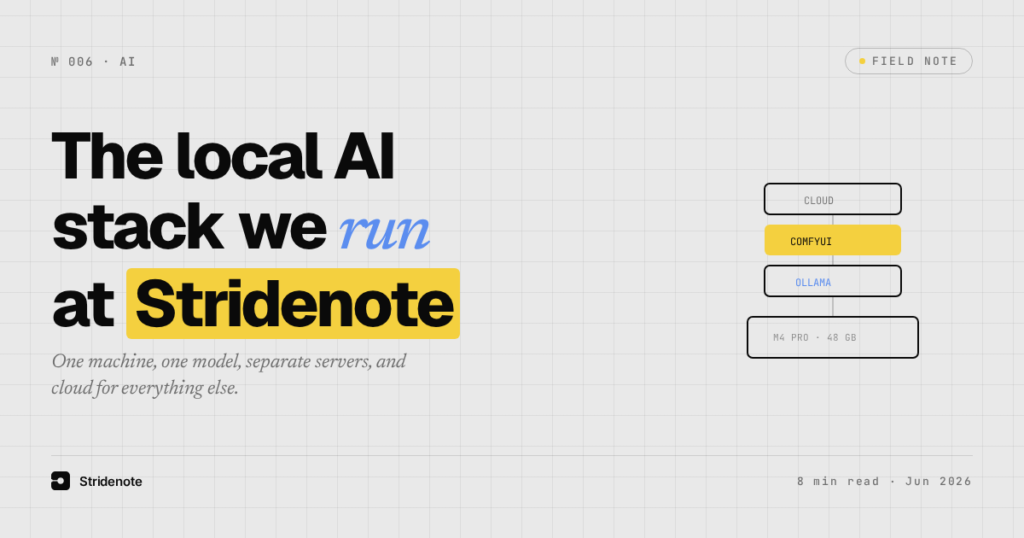
This is the core of Stridenote’s local AI stack: one machine, one always-on model, a separate image generation server, and a set of cloud coding agents that handle everything the local hardware cannot do efficiently. The stack took shape across eight documented build phases over two months, with three failed attempts to integrate local providers into OpenCode (the coding agent we use) before settling on the current architecture. This is a look at what runs, why it runs that way, and the trade-offs we accepted.
What goes into a local AI stack?
The stack divides into four logical layers, each with its own runtime.
Ollama (v0.30.5) is the local model host at http://localhost:11434. It runs as a brew-managed daemon and exposes both a native API and an OpenAI-compatible endpoint at /v1/chat/completions. It loads one model: Gemma 4 31B in the Q4_K_M quantisation, packaged by the unsloth team on HuggingFace. The GGUF file is roughly 19 GB on disk, and at inference it occupies 18 to 20 GB of RAM. The model supports text and image input and is licensed under Google’s Gemma Terms of Use.
ComfyUI provides the image generation layer. It runs as a separate Python server on port 8000. It uses Flux Schnell FP8 (Black Forest Lab’s fast text-to-image model) as its primary checkpoint. The setup includes CLIP-L and T5-XXL FP8 text encoders and a Flux VAE. The comfyui-mcp package bridges ComfyUI’s HTTP API into OpenCode as tool calls, so the coding agent can generate images on demand without manual intervention.
The coding agent stack runs entirely on cloud providers. OpenCode uses its built-in Anthropic and OpenRouter connections. No local model is wired to it. This is by deliberate design: three separate attempts to add a local provider block to OpenCode’s configuration each destabilised the model picker, a problem documented in detail in the studio’s build journal for the local-models project.
Supporting tools fill the gaps. SearXNG runs in Docker on port 8888 and provides local meta-search without sending query history to any single provider. Open WebUI wraps the Ollama API in a browser interface on port 3000. Cline (the VS Code extension) points at the local Ollama instance for in-editor tasks. The MCP ecosystem connects everything through a standardised protocol: the comfyui MCP bridges image generation, the fetch MCP reads external URLs, and the filesystem MCP restricts agent access to seven scoped directories. Each server runs as a separate process and can be added or removed without touching the others.
How does the Ollama model handle writing tasks?
Gemma 4 31B is the writing model. It was chosen over two alternatives. The earlier generalist model, NVIDIA Nemotron 3 Nano 30B, was removed because it was strong at neither writing nor coding at the specialist level. A brief interlude with GLM-4.7-Flash (Zhipu’s coding-specialist model) ended when it proved too hard to wire into the existing toolchain and defaulted to Chinese on ambiguous prompts.
The decision to keep a single local model and route everything else to cloud is a lesson in scope. The M4 Pro has 48 GB of unified memory. A 31B model at Q4 quantisation takes about 19 GB of that. That leaves 29 GB for macOS, Chrome, Docker containers, and whatever else is running. A second specialist model would push concurrent RAM use past 38 GB. That leaves no headroom for the operating system. The trade-off is simple: one local model at a time, and the cloud fills the gaps.
In practice, Gemma 4 handles first-draft writing and brainstorming well for a 31B parameter model running locally. The Q4_K_M quantisation strikes a balance between quality and speed. A writing prompt returns the first tokens in 5 to 10 seconds on a cold load, faster on subsequent prompts once the model is resident. The multimodality is a bonus: the same model can describe an image or analyse a screenshot without needing a separate vision pipeline.
Why does image generation run on a separate server?
ComfyUI is a separate process for a reason. Image generation demands different hardware resources than text inference. Flux Schnell FP8 needs modest VRAM by image-generation standards, but it still benefits from running in its own process with its own Python environment, isolated from the Ollama daemon.
The setup works like this: the studio starts ComfyUI manually when image work is needed (python main.py --port 8000 from the ComfyUI directory). Once running, the comfyui-mcp server exposes tools for generating, retrieving, and analysing images. The OpenCode agent can call these tools through its MCP connection. A typical workflow: the agent drafts an article, calls generate_image with a text prompt, waits for completion, and receives the output filename. The image appears inside the ComfyUI output folder alongside 387 previous generations.
This architecture means image generation runs only when needed. The ComfyUI server is not supervised or always-on. That is deliberate: the studio does not generate images every day, and the 48 GB memory budget should not carry an idle server when the writing model could use the space.
How does coding work without a local model?
This is the part of the stack that surprises people. The primary coding agent in the studio, OpenCode, does not use any local model. Every code generation request travels to Anthropic or OpenRouter.
The reason is not a preference for cloud over local. The reason is that OpenCode v1.15.13 does not offer a stable local-provider integration. Three attempts to add one, across two different local model hosts (Ollama and LM Studio), all failed in the same way: the model picker stopped working. Built-in free models disappeared. The picker showed nothing at all. Each attempt required reverting the configuration and restarting the application.
The root cause, identified during build Phase 7, was that the @ai-sdk/openai-compatible npm package used for local provider wiring had inconsistent behaviour with OpenCode’s model picker. The fix was not to find a better configuration. The fix was to stop trying. OpenCode now uses only its built-in providers, and the picker works reliably.
This creates a clear separation of concerns. The local model handles writing and ad-hoc tasks. The cloud providers handle code generation and debugging. The local model never has to be a good coder, and the cloud agents never have to write prose. Each does what it does best.
What did three failed integration attempts teach us?
The supporting tools exist alongside an evolved understanding of when local makes sense and when it does not. The path to this stack was not a straight line. Between early June and mid-June 2026, the studio tried three different approaches to wire a local language model into OpenCode.
Attempt one added an explicit provider.ollama block to OpenCode’s config. The model picker broke. Attempt two removed the block and claimed OpenCode auto-detected Ollama natively. It did not. The sidecar process timed out. Attempt three switched to LM Studio as the local host. It used the same OpenAI-compatible adapter pattern. Same result: picker instability.
The pattern across all three attempts was consistent. Adding a provider block for any local endpoint destabilised the picker, regardless of which local host software was running behind it. The diagnosis, confirmed only after direct API testing in Phase 7, pointed to a specific interaction between OpenCode’s UI layer and the @ai-sdk/openai-compatible npm adapter. The adapter worked. HTTP requests to the local model returned valid completions. The problem was in the UI layer that discovered and displayed available models.
The lesson is specific to OpenCode v1.15.13 and may not apply to future versions. But the broader principle applies to any toolchain: when a piece of infrastructure consistently breaks a critical UI component, the rational choice is to decouple them rather than keep debugging. Local models run outside OpenCode. OpenCode uses cloud. The picker works.
The current configuration is not the final one. OpenCode may ship a working local provider integration in a future release. If it does, the wiring can be reattempted, and the local model could take over simple coding tasks. New model quantisations could offer better quality for the same RAM budget. A lighter coding specialist may emerge that fits alongside Gemma 4 in the 48 GB envelope.
But the direction is set. The studio values local inference for the control it provides over data and latency. The cloud handles what the local machine cannot do at acceptable speed. The boundary between them will shift as hardware improves and software matures, but the principle stays the same. Every component earns its place by doing one thing well, and the most important tool in the stack is the one that says no to a new piece of software when it would destabilise the rest.
The assistant slot stayed with Hermes even after we retested the alternative, in OpenJarvis on a Mac.